

A practical guide to choosing, preparing for, and maintaining an access control system that fits your property and security needs.
Key Takeaways
- Identify which doors need access control and what security level each requires.
- Choose credentials based on user count, convenience, and security needs.
- Prepare by confirming power, network, and door hardware compatibility.
- Plan how credentials will be issued, revoked, and managed over time.
- Maintain the system with firmware updates, credential audits, and hardware checks.

Table of Contents
- 1.Step 1: Identify Which Doors Need Control
- 2.Step 2: Choose the Right Credentials
- 3.Step 3: Prepare Your Property for Installation
- 4.Managing Credentials Over Time
- 5.Maintaining Your Access Control System
- 6.Frequently Asked Questions
Step 1: Identify Which Doors Need Control
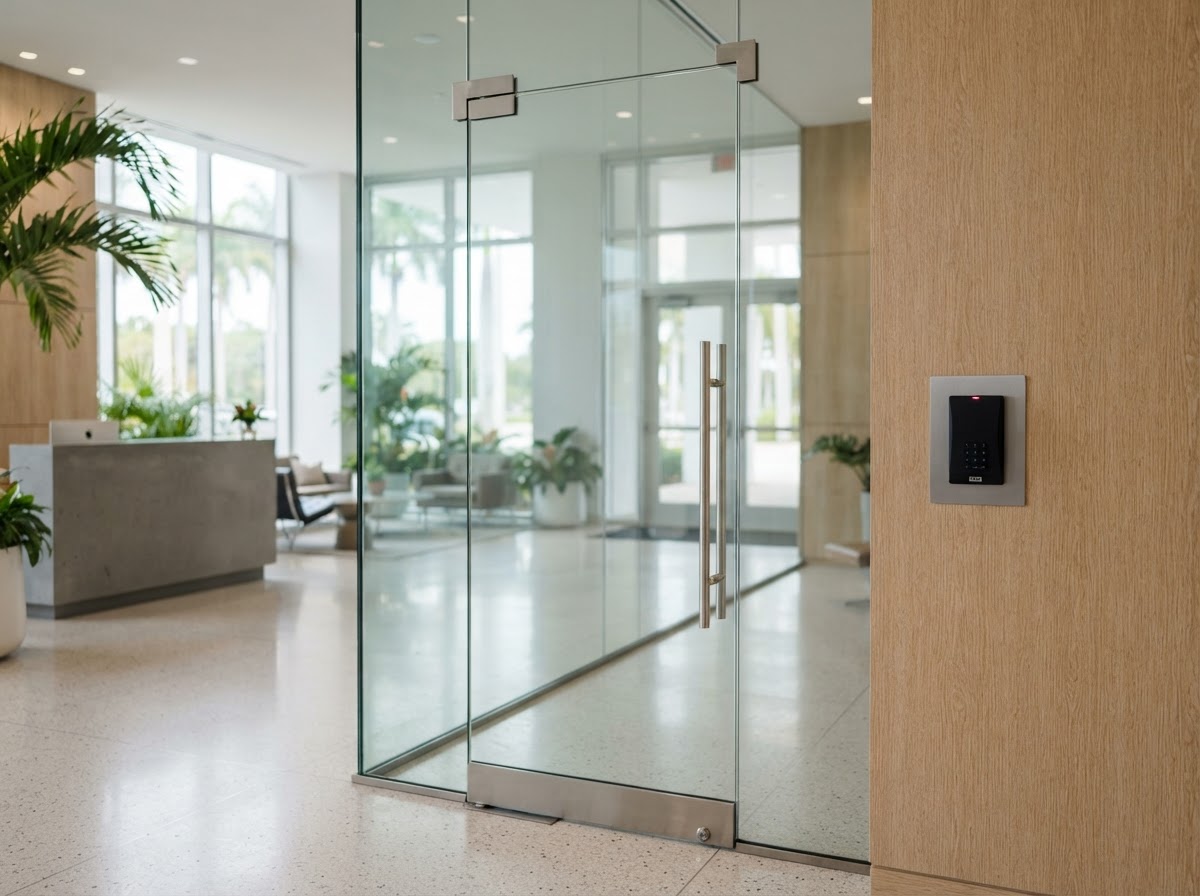
Not every door needs access control. Start by listing the doors you want to manage—main entrances, back doors, server rooms, stockrooms, office doors, or community gates. Then assign a security level to each: general entry, restricted, or high-security.
This determines how many readers you need and which type. A main entrance may use keycards for many users; a server room may use biometrics for a few. Mapping this out before the consultation keeps the design focused and cost-effective.
Step 2: Choose the Right Credentials
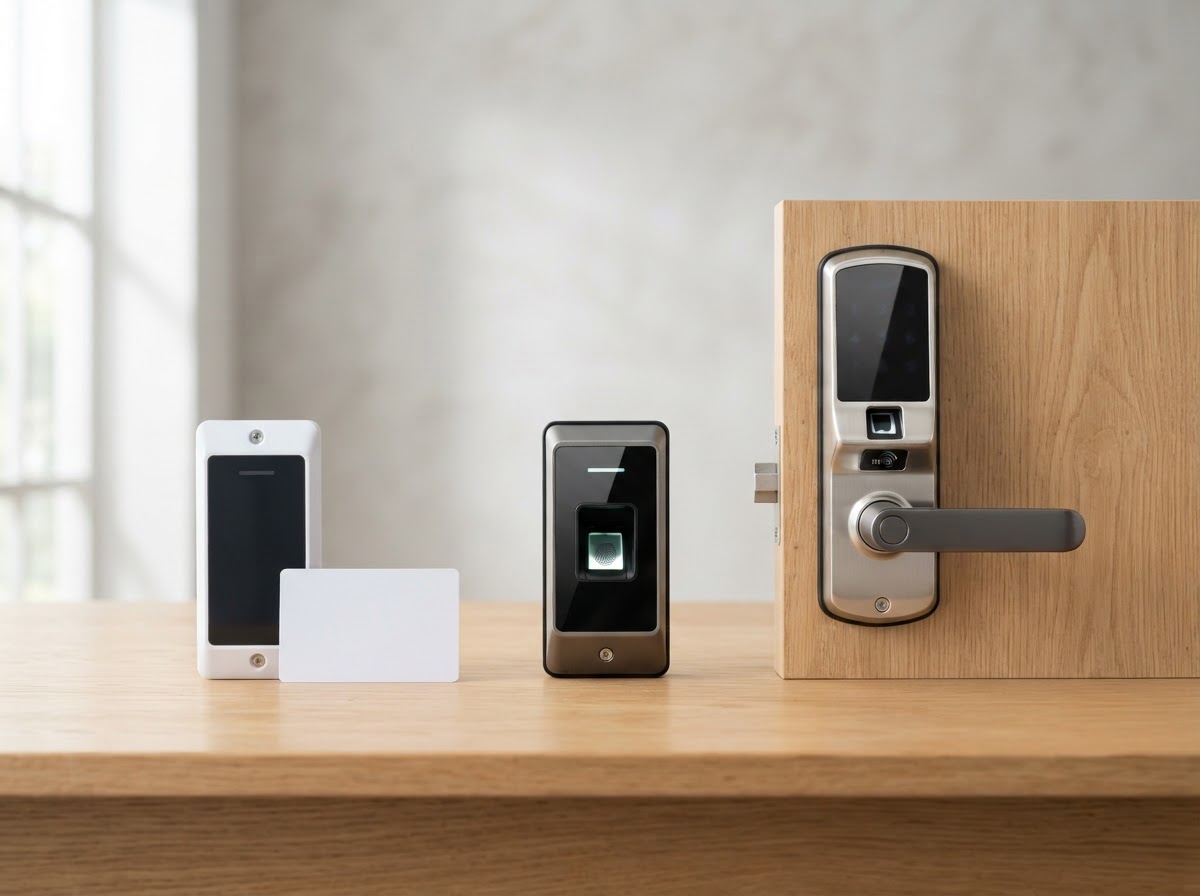
Match credentials to each door's security level. For general entry with many users, keycards or fobs are practical. For high-security areas, biometrics prevent credential sharing. For homes or small businesses, smart locks with app or code entry offer convenience.
Consider how many users you have now and will have in the future. A system that works for 10 employees should scale to 50 without replacing hardware. V Power Solutions helps you choose credentials that fit today and grow with you.
Step 3: Prepare Your Property for Installation
Access control readers need power and, for networked systems, a network connection. Confirm that each door location has access to power and that your network reaches the planned reader locations. For doors with existing electric strikes or magnetic locks, verify compatibility.
If you have an HOA or building management, confirm any rules about exterior readers or gate hardware. V Power Solutions coordinates these details, but knowing them in advance keeps the project smooth.

Managing Credentials Over Time
An access system's value comes from how well you manage credentials. Plan how new users get credentials, how departing users are revoked, and how lost credentials are handled. For businesses, this ties into onboarding and offboarding.
V Power Solutions trains you on the management interface so you can add or revoke access quickly. For larger organizations, we can set up role-based permissions so a user's access updates automatically when their role changes.
Maintaining Your Access Control System
Access control systems need minimal but regular maintenance. Keep the management software and reader firmware updated to maintain security. Periodically audit the credential list to remove users who no longer need access.
Check that readers and locks are functioning—doors that stick or readers that respond slowly may need adjustment. After severe weather, verify that exterior readers and gate hardware are intact. If anything malfunctions, contact V Power Solutions for support.
- Keep management software and reader firmware updated
- Audit credentials periodically to remove inactive users
- Check reader and lock function regularly
- Verify exterior hardware after severe weather
- Contact support for any malfunction
Choosing an access control system? V Power Solutions can map your doors, recommend credentials, and install a system that scales with your property.
Request a Free ConsultationFrequently Asked Questions
Q.How do I choose an access control system?+
Q.How many doors can I add access control to?+
Q.Do access control readers need internet?+
Q.How do I manage credentials as staff change?+
Q.How often should I audit access credentials?+
Q.What if a reader stops working?+
Related Services
Related Articles
Protect and Connect Your Property
Request a free consultation with V Power Solutions. Call us, message on WhatsApp, or complete the contact form.
This article is for general informational purposes only and does not constitute professional advice. Product availability, features, and specifications may change. Contact V Power Solutions for current information about your specific project.


